
Independent filmmaking craft notes

Reel 01 · Beginner workflow · Updated Sept 2026

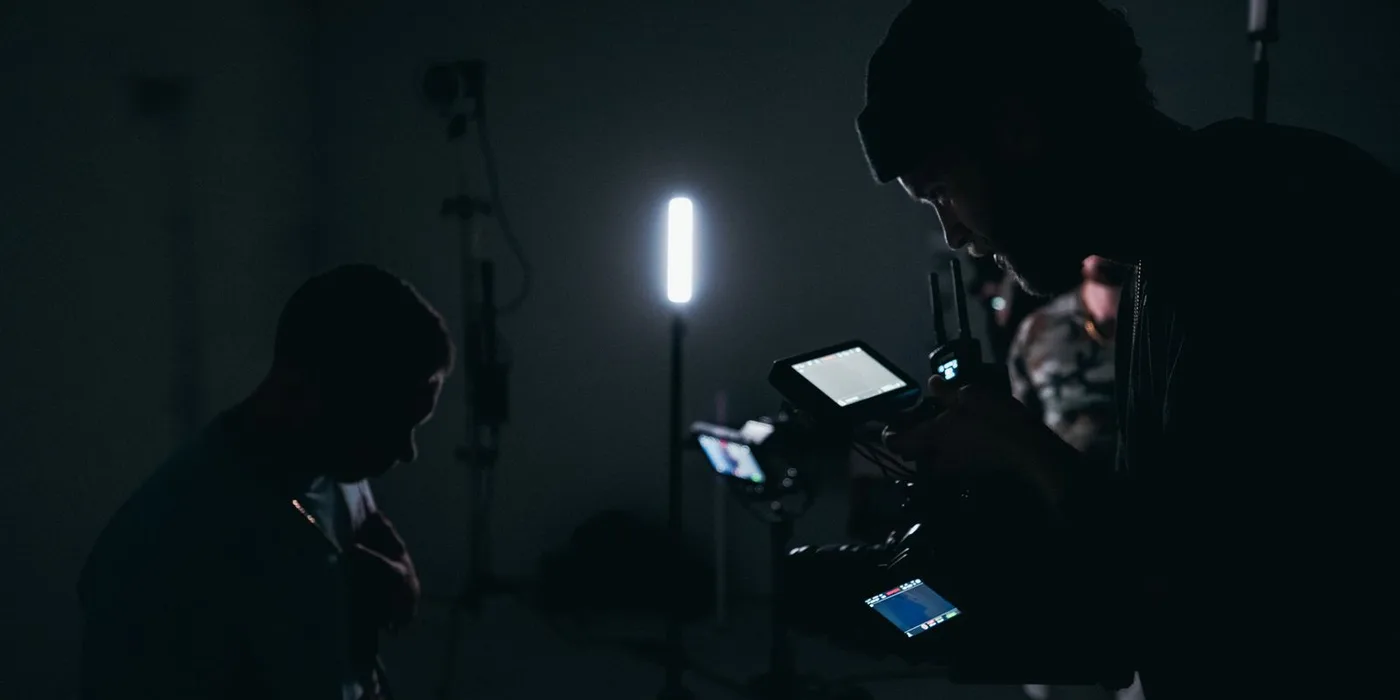
A camera operator with a rigged cinema camera and an external monitor films a seated subject in a darkened studio lit by a single tube light.

Scene 01 — Take 01

Your first short video, start to finish

A plain, workable plan for people who own a camera and have never finished anything with it. Plan it, shoot it, cut it — and know which corners are the expensive ones to cut.

6 min read Complete beginners Pre-production to finishing

Editorial note

First Take Guide is an independent editorial site published by Miami Video Productions. This page is a general-information craft article written by our editors; it is not sponsored, it contains no affiliate links, and we are not selling equipment, courses or services. Nothing here is legal advice — permits, releases and property rules vary by city and by venue, so confirm them locally. Results depend entirely on your own equipment, location, collaborators and practice.

The guide

Making a short video, end to end

Most first projects do not fail at the camera. They fail two weeks earlier, in the decisions nobody wrote down.

Decide what the thing is, in one sentence

Before you touch a camera, finish this sentence: “This is a ___-minute video about ___, in which ___ happens.” If you cannot finish it, you have a mood rather than a project.

Keep the first one small: one location, one or two people, one change that happens on camera. Two minutes that resolve beat ten that wander. Every later decision, from which lens to bring to which take to keep, is settled by asking whether it serves that sentence.

Write it down, even badly

Three documents, none of which has to be pretty. The point is that decisions leave your head and become something the group can look at.

The outline or script is the spine. For dialogue, use a standard screenplay layout so page count roughly maps to screen time; for an interview, write the questions in order.

The shot list turns that spine into things you physically do: one line per setup — size, movement, rough duration, the beat it covers.

The schedule is that list re-sorted by location and lighting rather than story order, with a call time and a hard wrap.

Doc 01–03

The three documents

  • Outline or scriptOne page is plenty. Lines, or the questions you intend to ask.
  • Shot listOne row per setup: size, movement, duration, beat.
  • Day scheduleGrouped by location and lighting, with a call time and a hard wrap.
FIG. 01 · Three pages of paperwork routinely save more shooting time than any piece of equipment.

Scout the location, and ask before you shoot

Visit at the hour you intend to film. A room that is soft at 10 a.m. can carry a hard slab of sunlight across one wall at 4 p.m.

Then do what almost no beginner does: close your eyes and listen for sixty seconds. Fridge hum, air conditioning, a road, an aircraft path. Sound problems are far harder to repair afterwards than picture problems.

On permission: anything privately controlled — a house, a shop, a campus — needs the owner to say yes, in writing. Parks and sidewalks are more permissive, but many US cities want a permit once you add a tripod, lights or a crew.

Get an appearance release from anyone recognisable and a location release from whoever controls the space. General information, not legal advice.

The camera settings that actually matter

Four controls decide whether footage is usable. Everything else is preference.

Exposure. Expose for the face, judged on a measurement rather than the screen — zebras around 70 % on light skin, or a histogram not jammed against either end.

Shutter. Roughly double the frame rate: 1/50 s at 24 fps, 1/60 s at 30 fps. Cut light with a neutral density filter, not a faster shutter.

Frame rate. Pick one and stay there; note slow-motion inserts on the shot list. In the US keep to 23.98 or 29.97 so mains lighting does not flicker.

Focus. Autofocus is confident and wrong at the worst moment. On a locked-off shot, focus manually, set it on the near eye and leave it.

Set white balance by hand for each setup too — automatic drifts mid-take.

Cam A · Setup 04

Four dials, in order

  • ExposureFace first. A clipped window is gone for good.
  • ShutterAbout double the frame rate. Cut light with ND.
  • Frame rateOne rate for the project. Note every high-speed clip.
  • FocusManual and magnified. Stop down; mark the floor.
FIG. 02 · Settings worth checking before every single take, in the order that matters.

Sound is the half that people notice

Audiences forgive a soft picture. They will not sit through hollow, echoing dialogue.

A lavalier clips to the chest a hand’s width below the chin. A shotgun on a boom sits just outside the top of frame, angled down at the chin.

Set levels so ordinary speech peaks near −12 dBFS and the loudest moments stay below −6.

Wear headphones. Always. A cable rustling on a jacket or a fridge kicking in is obvious there and invisible on a screen.

At every setup record thirty seconds of room tone — everyone silent, camera rolling — to patch the gaps between lines.

If audio records separately, clap once on camera at the start of each take. And treat the room: blankets, coats, a rug, a duvet on a stand behind the camera.

Directing people who have never acted

Most first shorts are cast from friends. Non-actors freeze when told to “act natural”, because that instruction contains nothing they can do.

Direct actions, not emotions. “Pick up the mug, read the label, put it down without drinking” is performable. “Be sad” produces a face rather than a moment.

Separate the two problems. Rehearse the movement without the lines, then the lines without the movement, then combine.

Roll on the rehearsal — the first honest version of a line often happens before anyone believes they are being recorded. And tell them where to look: an eyeline is a point in space.

Say “we have got it” out loud, then keep rolling ten more seconds. Feed people, keep the day short, say when they can leave.

On the floor

Say this, not that

  • “Look at the door, then at me.”Instead of: “Seem nervous.”
  • “Same again, a bit slower.”Instead of: “That wasn’t quite right.”
  • “Wait two seconds, then speak.”Instead of: “Give it more weight.”
  • “We have it — keep going.”Instead of: cutting the moment everyone relaxes.
FIG. 03 · Directions a non-actor can act on are physical, specific and short.

Coverage, and why you shoot for the edit

A scene captured as one unbroken take is a scene you cannot repair. Coverage means shooting the same moment more than one way.

For a two-person scene, a workable minimum is a wide, a medium on each and a close on each — every size run across the whole scene, including the stretches where someone is only listening.

Every shot you take is a question the edit will ask you later. Coverage is how you leave yourself an answer.

Leave handles. Roll two seconds before action and two after cut.

Gather cutaways. Hands, objects, a doorway, the empty room — five per location.

Hold the line. Keep the camera one side of an imaginary line through the action, so people do not swap places between shots.

Name things out loud. Say “scene two, shot C, take three” into the microphone before you roll; a month later it is the only reason you will know what you have.

Post: folders first, then the assembly

Before you import a clip, build the folder structure and refuse to deviate: 01_FOOTAGE / 02_AUDIO / 03_MUSIC / 04_GRAPHICS / 05_PROJECT / 06_EXPORTS. Copy every card to two drives and check the copies open before you format anything.

  • Assembly. Every usable take end to end in story order, deliberately too long.
  • Rough cut. Choose performances and cut what the story does not need.
  • Fine cut. Frame-level trims; where a cut lands is the difference between clumsy and invisible.
  • Sound pass. Sync, level the dialogue, patch gaps with room tone, then lay music underneath.
  • Colour pass. Correction first, to match shots; grading second, judged on scopes.
  • Finish. Titles, captions, export at the frame rate you shot.

Online delivery commonly targets around −14 LUFS. Watch the whole thing on a phone before you publish.
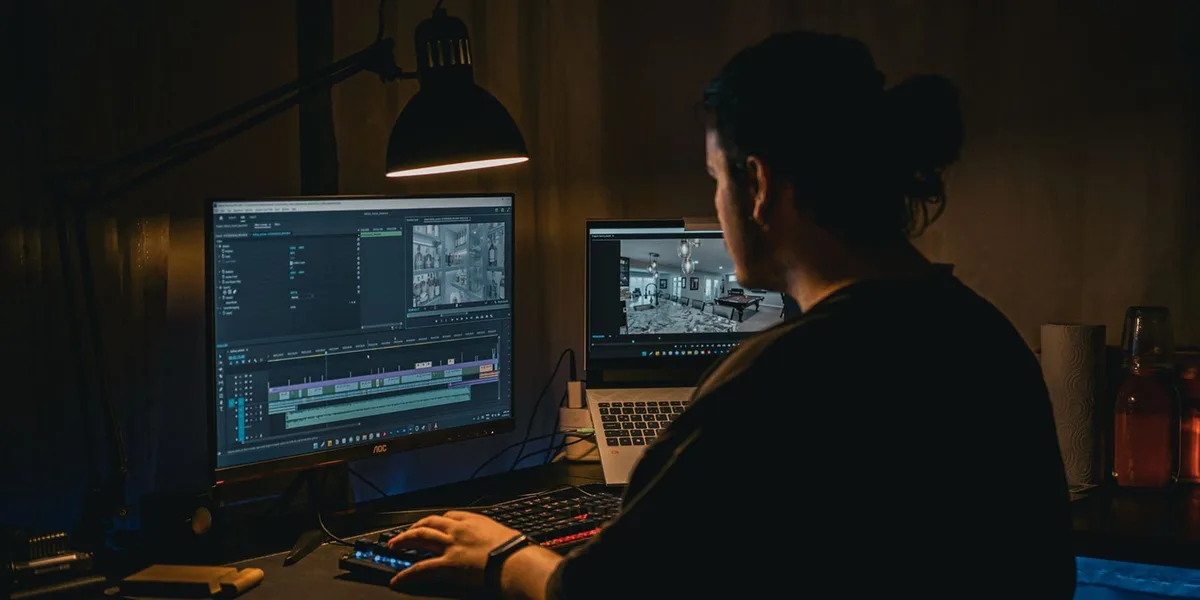
An editor sits at a desk in a lamp-lit room, working on a multi-track video timeline shown across a monitor and a laptop screen.
FIG. 04 · The assembly edit: everything usable, in order, too long on purpose. Shaping comes later.

The mistakes that cost first-timers the most

  • Arriving without a shot list, then losing ninety minutes of daylight to a committee meeting.
  • Treating sound as an afterthought — the most common reason a first short is unwatchable.
  • No handles, so every cut in the edit is forced.
  • Automatic everything: exposure ramping, white balance sliding, focus hunting past the subject.
  • Over-scheduling. Plan on one or two script pages per short day, not eight.
  • Expecting the grade to rescue it. Colour shapes what the sensor recorded; it cannot invent detail that was never there.

None of these are talent problems; process is learnable in an afternoon. So finish the small one — a two-minute video you can show somebody teaches you more than three abandoned at the rough cut.

Production order

Five steps, in the order they happen

If you do nothing else, do these in this sequence. Each one exists to stop a specific problem from reaching the next stage.

  1. PRE · 00:00

    Lock the one-sentence idea

    Length, subject, and the single change that happens on camera. If the sentence will not close, the project is not ready to be scheduled.

  2. PRE · 00:01

    Write the three documents

    Outline or script, shot list, day schedule. One page each. They turn opinions into a plan everyone can read on the day.

  3. PRE · 00:02

    Scout it, clear it, schedule it

    Visit at the right hour, listen for sixty seconds with your eyes shut, get permission in writing, then group the shot list by location.

  4. PROD · 00:03

    Shoot coverage with clean sound

    Wide, medium and close on every beat. Microphone close, headphones on, room tone at every setup, two-second handles on every take.

  5. POST · 00:04

    Organise, assemble, finish

    Folders and two backups before the first import. Then assembly, rough, fine, sound, colour, export — in passes, not in loops.

Craft reference

Six things worth getting right early

Habits that are almost free to adopt on the first project and awkward to retrofit on the fifth.

REF 01 · EXPOSURE

Exposure you can trust

Judge it with zebras or a histogram rather than the screen, which lies in bright sunlight and again in a dark room. Set it per shot, never on automatic, and protect the highlights first.

REF 02 · MOTION

Shutter and frame rate

Double the frame rate for shutter, one frame rate for the project, and neutral density filters when there is too much light.

  • 24 fps → 1/50 s
  • 30 fps → 1/60 s
  • 60 fps → 1/125 s, for slow motion only
  • 23.98 or 29.97 in the US, so lighting does not flicker

REF 03 · SOUND

Sound on a budget

A lavalier a hand’s width below the chin, or a shotgun on a pole just out of frame. Peaks near −12 dBFS, headphones on the whole time, thirty seconds of room tone at every setup.

REF 04 · DIRECTION

Directing non-actors

Physical actions instead of emotions, movement rehearsed apart from lines, an exact eyeline to look at, and a camera that keeps rolling after you say you have it.

REF 05 · COVERAGE

Coverage that cuts

Run the full scene in every shot size so reactions exist when you need them.

  • Wide for geography
  • Medium on each person
  • Close on each person
  • Five cutaways per location
  • Two-second handles, every take

REF 06 · MEDIA

A media folder that survives

Numbered folders, dated card copies, two drives, and a verification pass before any card is formatted. Name takes out loud on set so the labels mean something in the edit.

Questions

Questions beginners actually ask

Short, hedged answers. Where something depends on your city, your camera or your room, we say so rather than pretending otherwise.

Do I need a cinema camera to make a first short video?

No. A recent phone, a mirrorless camera or a second-hand DSLR will all record images that are good enough for a first project. What limits a first short is almost never the sensor — it is unsteady framing, drifting exposure, hollow sound and a story that was never pinned down.

If you have money to spend, a tripod and a microphone will change your footage more than a new camera body will.

What frame rate should I shoot at?

Pick one and stay on it for the whole project. In the United States, 23.98 fps reads as filmic and 29.97 fps reads more like broadcast or live video. Either is a legitimate choice; mixing them without noting which is which is not.

Shoot deliberate slow-motion inserts at 59.94 fps or higher, and write it on the shot list so you remember to conform those clips in the edit.

How much do I need to spend to get usable sound?

Less than most people expect. A wired lavalier and a pocket recorder, or a basic shotgun microphone on a pole, both sit in the low hundreds of dollars, and both outperform an on-camera microphone for the simple reason that they get close to the speaker.

Add closed-back headphones so you can hear problems while you can still fix them, and get into the habit of recording thirty seconds of room tone at every setup.

How long should a first short video be?

Short enough to finish. Two to four minutes is a realistic first target: long enough to hold a beginning, a change and an end, and short enough that one or two shooting days and a week of evenings in the edit will actually get it done.

Length is not the achievement. Finishing is, and an unfinished twenty-minute project teaches almost nothing.

Do I need a permit to film in public in the United States?

It depends on the city and on how much of a footprint you make. Handheld filming on a public sidewalk is often treated as ordinary activity, while tripods, lights, cables, crew or anything that interrupts pedestrian flow commonly triggers a permit requirement.

Parks, transit systems, campuses and private businesses all set their own rules, and a property owner can simply decline. Check your local film office page and get permission in writing. This is general information, not legal advice.

Which editing app should a beginner learn first?

The one already on the machine you own, in the price category you can afford. Every mainstream editing tool does the same core job: a timeline, cuts, trims, audio levels and a colour page.

The habits transfer between them, and the menu layouts matter far less than people argue online. Learn one editor well enough to finish something before you evaluate another.

How many shots do I actually need for one scene?

For a simple two-person scene, a workable minimum is a wide that establishes the geography, a medium on each person and a close on each person, with the full scene run in every size rather than only that person’s lines.

Add two or three cutaways of hands or objects. That is roughly six or seven setups, and it gives the edit somewhere to go when a line is fluffed or the pacing needs tightening.

How do I stop autofocus from hunting during a take?

For a locked-off shot, switch to manual focus, magnify the display, set focus on the near eye and leave it. If the subject moves, close the aperture a stop or two so the depth of field covers the movement, and mark the floor so they land in the same place each take.

If you do use autofocus, narrow the tracking area to the face rather than leaving the camera on a wide-area mode that can grab a doorframe mid-line.

The call sheet

Occasional craft notes by email

One short email when we publish something new — a shot-list template, a sound checklist, a walk-through of an edit. No sponsored content, no selling, and you can unsubscribe from any message.

Nothing is stored or sent — the mailing list is not connected yet. See the Privacy Policy.